How to make a talking photo book for your toddler
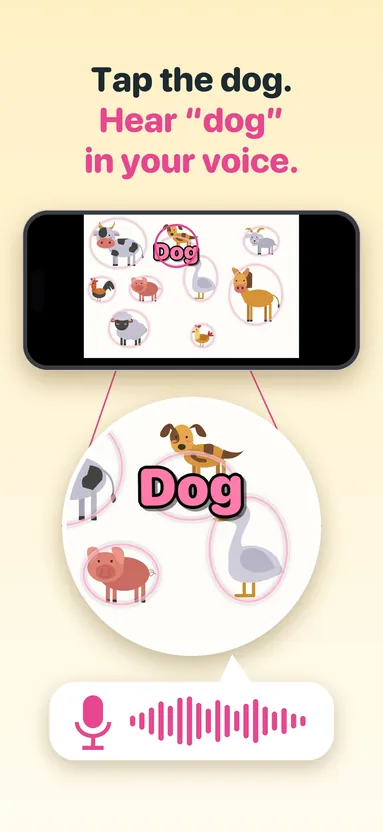
A talking photo book is a set of your own photos where your child taps a face or a thing and hears you say its name. Here is how to make one in Picture Talk in a few minutes.
What you need
- An iPhone or iPad with Picture Talk
- A handful of photos: family faces are the easiest place to start
- A quiet minute to record
Make the book
- In the library, tap + and choose up to 30 photos, or take a new one with the camera. Each photo becomes a page.
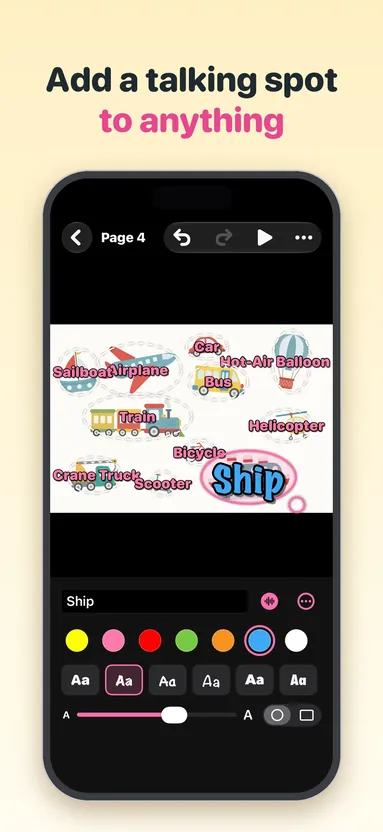
- Tap a page, then Add Talking Spot. Type the word and drag the spot onto the thing in the photo. Double-tapping the photo adds a spot right there.
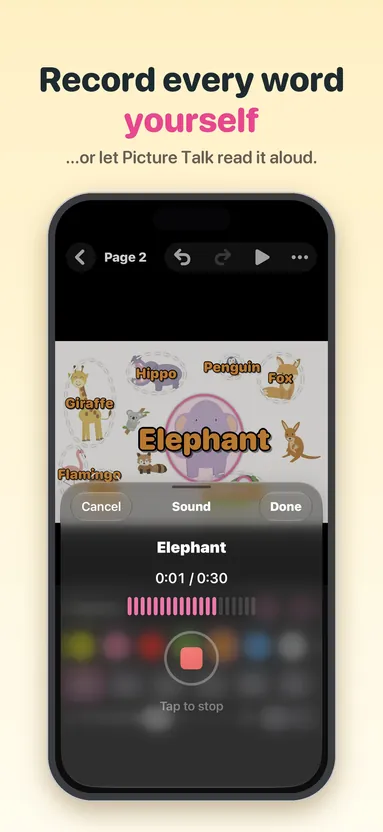
- Tap the microphone and say the word. A recording can run up to 30 seconds, so a short sentence fits too, and you can record it again as often as you like.
- Do the same for everything on the page worth naming. There is no Save button; everything saves as you go.
- Tap ▶ on the book and hand it over.
Photos that work well
- Faces first. Mom, Dad, Grandma, the dog. One clear face per spot.
- Their own things. Their cup, their shoes, the bath, the car seat: words they hear every day, attached to the thing itself.
- A day out. The zoo, the park, the grocery store, while it is still fresh.
- A page from a paper book they already love, read in your voice.
A photo with four or five things to name makes a better page than a crowded one. Choose a color, a font and a size for each word, and oval or rectangle spots, so the words are easy to read against the photo.
If you would rather not record
A spot without a recording reads its word aloud, at a gentle pace. You can choose the voice in Help, under Read Aloud. Record your own voice whenever you are ready and it takes over.
In another language
Recording your own voice works in any language you can type and say. A grandparent can record the words in theirs, and the book becomes a way to hear that language at home.
Handing it over
The player is full screen, with no buttons to hit by accident. Gentle outlines show where to tap; turn them off on the book’s page list and it becomes a find-the-spot game. Only a grown-up can leave: the × has to be held for two seconds.
The details
Picture Talk is paid once, with no ads, no in-app purchases and no account, and your photos and recordings stay on your device. It runs on iPhone and iPad with iOS 18 or later. If you want to see how a finished book feels first, a five-page sample book is ready the first time you open the app.